Inline Columns
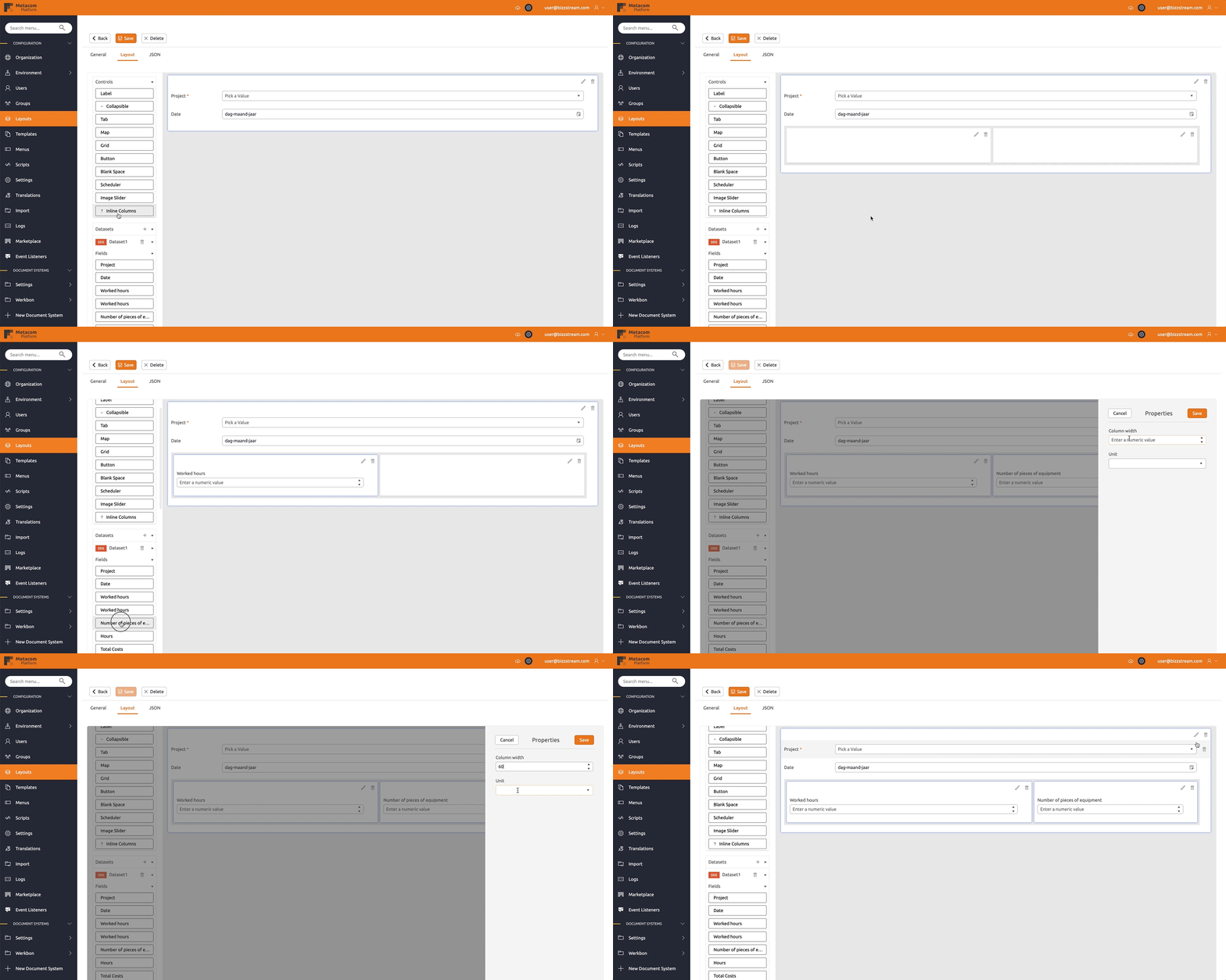
The inline columns control adds yet another layer of flexibility to modeling layouts in BizzStream Aero. As we have seen, the layout structure is grid-like: Rows > Columns > Elements. Elements are displayed in a vertical list. With the inline columns control you can place multiple controls horizontally next to each other in one column. This allows you to, for instance, render action buttons directly behind an input control, without having to position it in a completely new column.
Configuring the inline columns control
You can add an inline columns control to the layout by simply dragging it from the Generic Controls bar on the left-hand side. Within the control you can add new columns by clicking  . This icon will become visible when you hover the corner of a column. It's only possible to add columns within the inline columns control, adding rows is not allowed. After adding the inline columns control you can drag one control into every column. Note that only buttons, labels, and dataset controls are allowed in the inline columns control. You can resize the columns in the inline columns by clicking
  in the inline columns control.
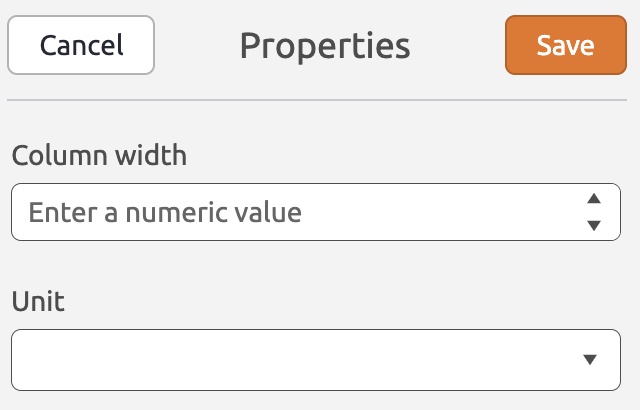
The inline columns control has the following properties:
Column Width (Optional) Determines the amount of space allocated to a column. If no column width is specified, the (remaining) available space will be distributed among the columns. Unit (Optional) Determines whether the column width should be interpreted as pixels or as a percentage value. Column max height (Optional) Limits the column height and enables independent vertical scrolling when its content exceeds that height. Unit (Required when a height is specified) Determines whether the height is interpreted as pixels or as a percentage of the viewport height, not the parent column or layout height. For example, a height of 400 with the pixel unit is stored in columnScrollHeight and columnScrollHeightUnit and rendered as 400px. A height of 50 with the percentage unit is rendered as 50vh: half the browser viewport height. Height values must be greater than 0; percentage values cannot exceed 100.Stretch to bottom of screen (Optional) Fills the remaining viewport space below the column's top position. When enabled, the height and unit controls are disabled while their configured values are retained. |
 |
Content exceeding the configured height scrolls vertically inside the column without shrinking its controls. Clear the height and unit and disable stretch-to-bottom to return to the default content-driven height. These settings apply to web layouts only.